
What you do on your phone is now available on the Web.
No phone needed. Access your live Tally reports, customer ledgers, B2B dealer management, and financial analytics directly in any web browser on your office desktop or laptop.
Access Live Tally in Any Web Browser
Open customer ledgers, daily sales registers, cash books, and analytics directly on your desktop or laptop. No mobile phone needed.
Download Connector to Sign Up
Install the lightweight Accosync PC Connector on your Tally computer to create your account and link your Tally data in under 10 minutes.
Big Screen Experience
View wide multi-column reports, full financial statements, and detailed item lists without squinting at a mobile screen.
Multi-Tab Multitasking
Open 5 customer accounts, sales registers, and cash books in different tabs at once for ultra-fast verification.
Zero Install on Client
Works instantly on any Mac, Windows, Linux, or Chromebook browser. No complex remote desktop or VPN needed.
Instant Tally Sync
Powered by the same reliable Accosync PC Connector. An entry saved in Tally appears on your Web browser within seconds.
Ready to experience Tally in your browser?
If you don't have an account, download the PC Connector below to connect your Tally. Once connected, log in to Accosync Web from any computer.
Clicking “Sign up to Accosync” will show the 64-bit and 32-bit connector download options.
Built for business owners, accountants & teams
When you are in the office or working from home, your laptop screen gives you the room to do more.
No Remote Desktop
Forget laggy AnyDesk, TeamViewer, or expensive RDP licenses. Open Accosync Web and work with zero latency.
Fast Ledger Inspection
Compare customer statements, filter date ranges, and view opening vs closing balances in full desktop width.
Multi-User Access
Grant your partners, sales reps, and accountants secure web access with granular company-level permissions.
Two powerful dashboards in one web portal
Switch between Financial Overview and B2B Dealer Mart with 1 click in your web browser.
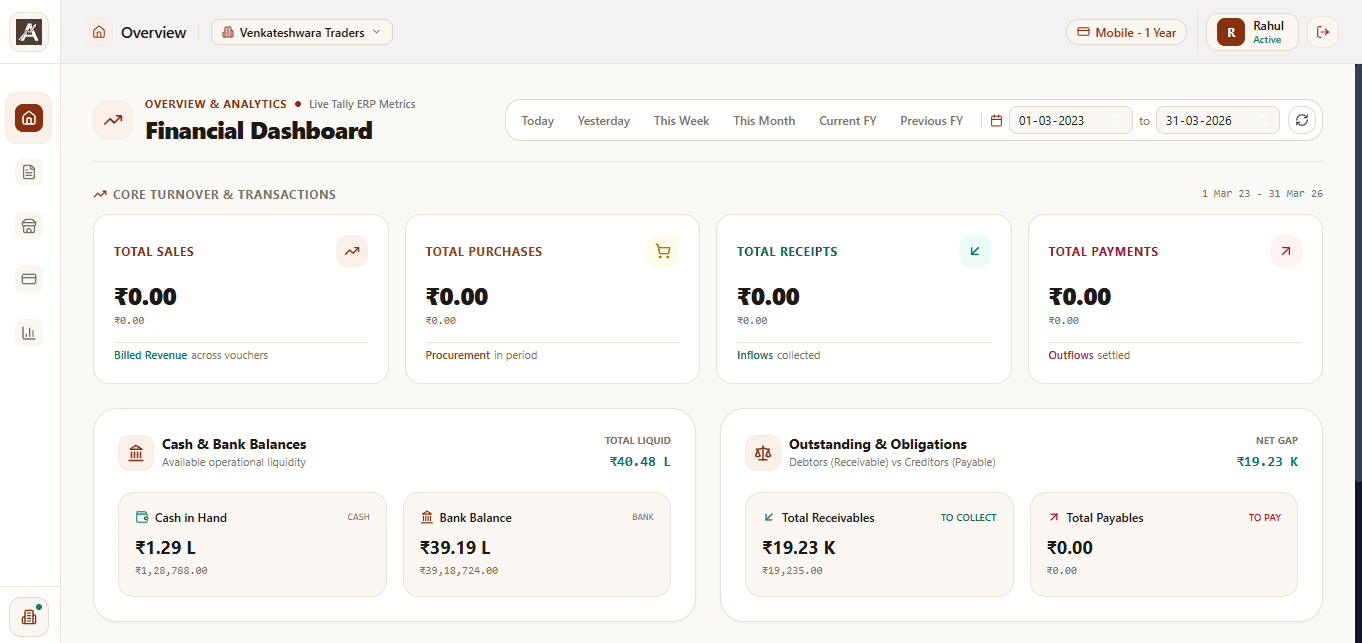
Track core turnover, cash in hand vs bank balances (₹40.48 L), and debtor obligations (₹19.23 K) with customizable date range filters.
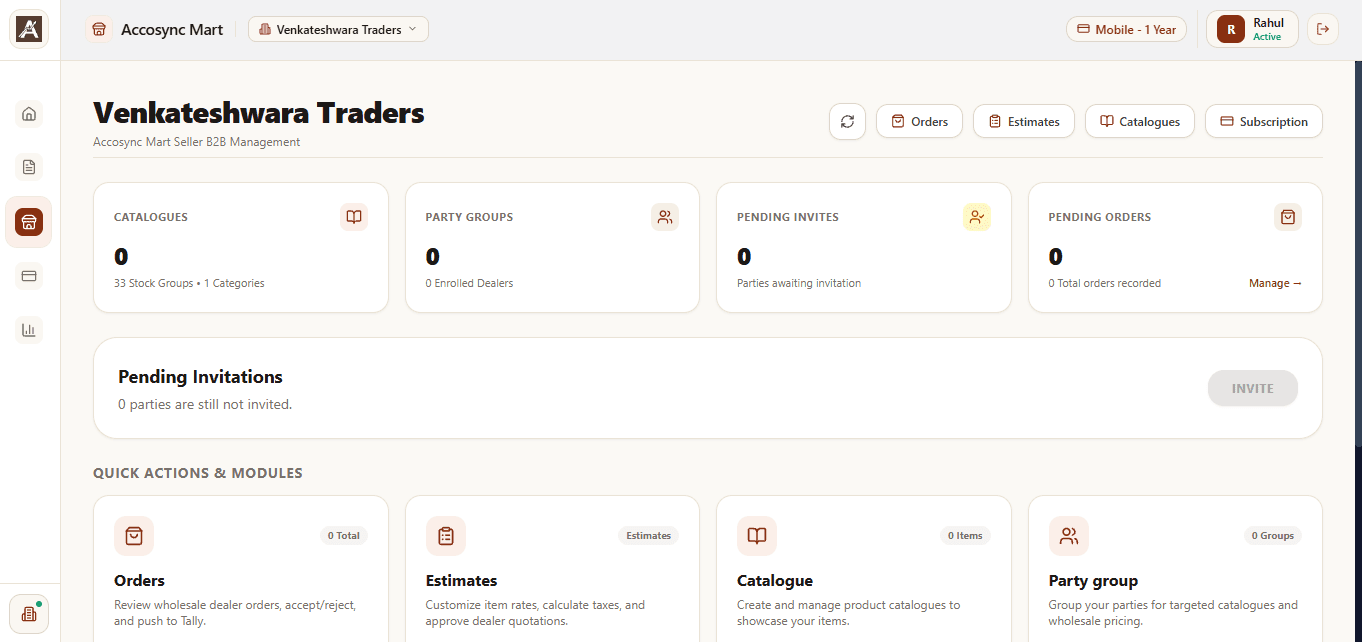
Manage digital product catalogues across 33 stock groups, track wholesale dealer orders, manage invitations, and push approved estimates straight to Tally.
Don't have an Accosync account yet?
Download the Accosync PC Connector on the Windows PC where your Tally software is installed. Creating your account takes under 5 minutes.
Includes both 64-bit and 32-bit Windows connectors · 7-day free trial · No credit card required